Proxies have become an essential tool for anyone working online — from businesses that monitor competitors to individuals who want privacy and security. If you’re new to the proxy world, this guide will explain what proxies are, the different types, and how to use them step-by-step. We’ll also introduce Nstproxy, a trusted global proxy provider since 2023, and show you practical command-line examples with curl and proxy authentication.
What is a Residential Proxy?
A residential proxy uses IP addresses provided by Internet Service Providers (ISPs) to real households. These IPs appear as genuine users, making them much harder to detect and block compared to datacenter proxies.
Benefits of Residential Proxies:
Residential proxies provide high anonymity, are ideal for scraping, automation, and social media management, and have lower block and captcha rates.
Nstproxy Example:
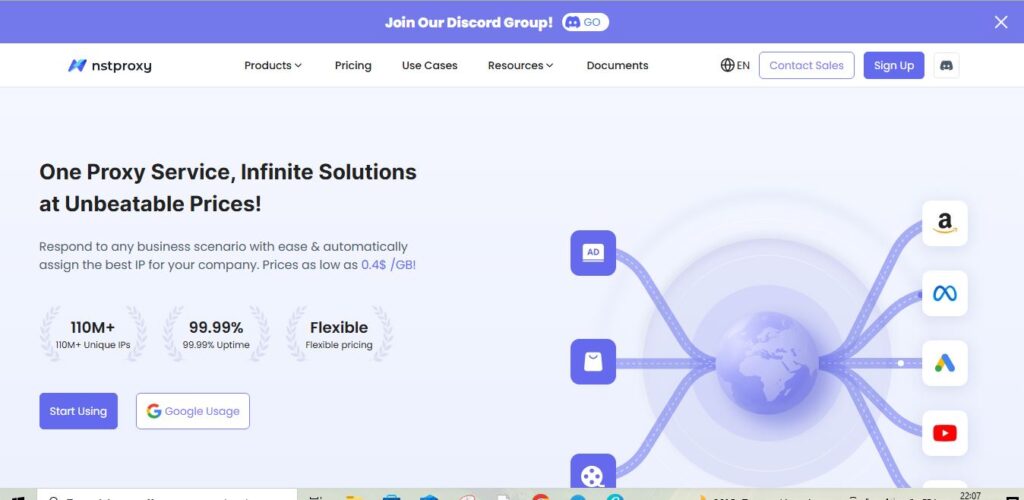
Nstproxy offers 110M+ residential IPs across 195 countries, with advanced rotation to keep connections stable and undetectable.
Types of Proxy
There are several proxy categories, each with its own use case:
- Residential Proxies: Real IPs from ISPs, excellent for stealth tasks.
- Datacenter Proxies: Hosted in data centers, fast & cost-effective.
- Rotating Proxies: Automatically change IPs after each request/session.
- IPv4 Proxies: Most common IP format, stable and widely supported.
- IPv6 Proxies: Newer IP standard, cheaper, and available in bulk.
- Backconnect Proxies: Advanced rotation system that routes connections through multiple IPs.
Proxy Comparison Table
| Proxy Type | Best For | Pros | Cons | Pricing Example (Nstproxy) |
|---|---|---|---|---|
| Residential | Web scraping, social media, SEO | Hard to detect, real IPs | Higher cost | From $0.8/GB (IPv4) |
| Datacenter | High-volume scraping, automation | Cheap, fast | Easier to block | From $0.3/GB |
| Rotating | Avoiding bans, large-scale scraping | Automatic IP refresh | Can be unstable if not managed | Free trial available |
| IPv6 | Cost-efficient scraping, bulk tasks | Cheap, millions of IPs | Limited compatibility | From $0.1/GB |
How to Know Your Proxy Address
A proxy address usually looks like this:
proxy.server.com:port
Or with authentication:
username:password@proxy.server.com:port
How to Check Proxy Address in Browser
Chrome/Edge: Go to Settings > Network > Proxy. You’ll see the IP and port used.
Firefox: Options > Network Settings > Manual Proxy Configuration.
Command Line (curl)
Run:
curl ifconfig.me –proxy http://username:password@proxy.server.com:port
This will return the IP of the proxy you are using.
Curl with Proxy: Examples
Basic curl with proxy:
curl -x http://proxy.server.com:8080 https://httpbin.org/ip
Curl with proxy authentication:
curl -x http://username:password@proxy.server.com:8080 https://httpbin.org/ip
Curl with SOCKS5 proxy:
curl –socks5 username:password@proxy.server.com:1080 https://httpbin.org/ip
These commands let you test whether your proxy is working correctly.
Proxy Comparison Table
| Feature | Residential Proxy | Datacenter Proxy |
|---|---|---|
| Source | Real ISP users | Data center servers |
| Stealth | Very high | Medium (easier to block) |
| Cost | Higher | Cheaper |
| Use cases | E-commerce, ticketing, social media, SEO | Bulk scraping, automation, research |
If your task requires long-term account management or e-commerce monitoring, residential proxies are the safest option. For large-scale scraping where speed is key, datacenter proxies work best.
How to Create & Use a Proxy Channel in Nstproxy
Using Nstproxy is simple and beginner-friendly. Here’s a quick guide:
Step 1: Create an Account
Visit the official Nstproxy website and sign up. After logging in, you’ll see the dashboard.
Step 2: Top-Up Wallet
Add funds to your wallet — Nstproxy supports competitive pricing:
IPv6: from $0.1/GB
IPv4: from $0.8/GB
Datacenter: from $0.3/GB
💡 Use code DOLPHIN for 10% OFF.
Step 3: Create a Proxy Channel
Go to the Residential Channel page. Select your charging plan & region. Click “Create Channel”.
Step 4: Start Using Proxies
Select your channel and click “Start using”. Use the Generator Tool to get proxy credentials. Copy the proxy string for one-click setup.
FAQs about Proxies
Q1: What is a proxy server in simple terms? A proxy acts as a middleman between your computer and the internet, hiding your real IP.
Q2: How do I check my proxy address? You can check in browser settings or use curl ifconfig.me with your proxy enabled.
Q3: What is the difference between a residential proxy and a datacenter proxy? Residential proxies use ISP-assigned IPs (harder to block), while datacenter proxies come from hosting providers (cheaper but easier to detect).
Q4: Can I use curl with a proxy? Yes. Use curl -x followed by your proxy address. Authentication can also be added.
Q5: Does Nstproxy offer a free trial? 👉 Yes. You can start with a Residential Proxy Free Trial before committing.
Why Choose Nstproxy? Since 2023, Nstproxy has been trusted by 1,000+ enterprise clients to deliver:
🌍 Global coverage – 195 countries, 8,000+ cities
🔗 110M+ active IPs
⚡ 99.99% uptime with lightning-fast switching
🔒 Smart IP rotation to bypass bans & captchas
It integrates seamlessly with Dolphin Anty and other anti-detect browsers for account automation.
✨ Summary
Proxies are the backbone of modern web automation and data collection. By understanding residential vs datacenter proxies, curl usage, and how to check proxy addresses, you can choose the right tool for your tasks.
With Nstproxy, you get affordable, enterprise-grade proxy infrastructure with free trials and cashback deals for large clients.
👉 Start your Free Trial with Nstproxy and experience the difference.
For enterprise customers: Nstproxy offers direct cashback rebates.
📧 Email: business@nstproxy.com
💬 Telegram: https://t.me/nstproxy
About the Author